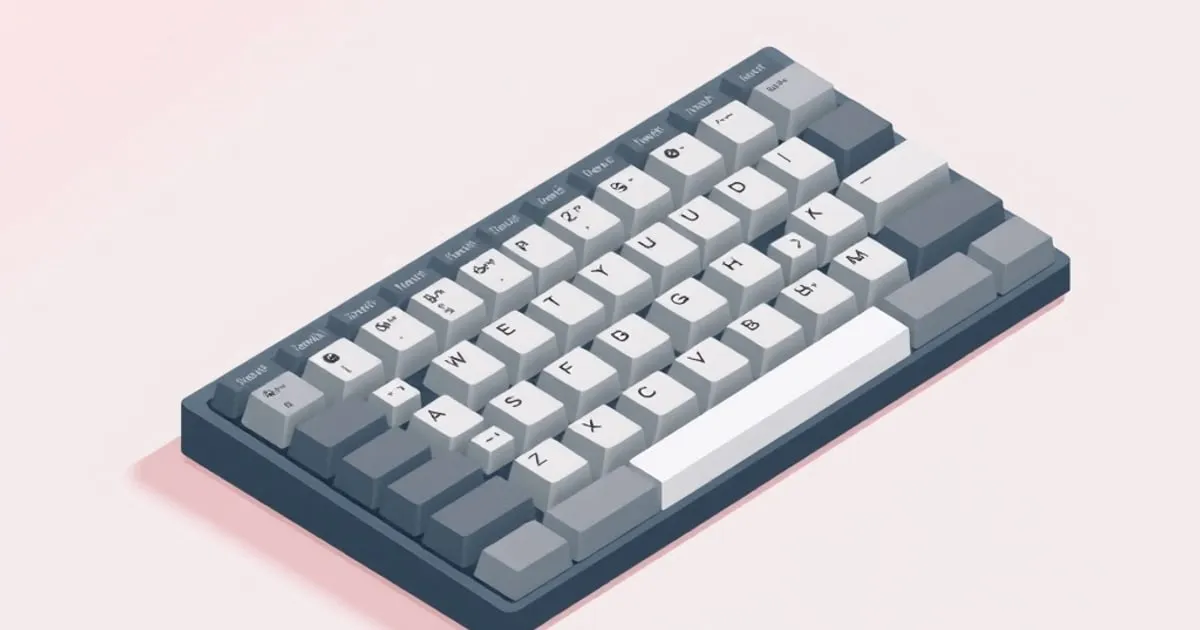
How to Install and Remove Keycaps Without Damaging Them
Pull and seat keycaps without snapping stems, bending switch pins, or scratching legends — wire pullers, technique, and the mistakes that crack ABS.
Pulling a keycap looks trivial — grab, lift, done. It mostly is, until the moment you crack a stem on a vintage ABS set, bend a switch pin, or pop a stabilizer wire out of its housing because you yanked at an angle. Every one of those is fixable, but the fix is annoying and the damage is sometimes permanent. This guide walks through the actual technique for installing and removing keycaps without hurting either the caps or the board underneath, what tools matter (and which to avoid), and the specific failure modes that catch people out — especially on thin ABS sets and large stabilized keys.
The job in one sentence
Pull straight up, push straight down, never twist, and use the right puller. That is the entire skill. Everything below is the reasons why each part of that sentence matters, and the situations where the simple version is not enough.
What you are pulling against
A standard MX-compatible keycap mounts onto a small plastic cross (the ”+” stem) protruding from the top of the switch. The cap has a matching cross-shaped socket inside that grips the stem by friction. There is no clip and no latch — the only thing holding the cap on is the snug fit between socket and stem.
That has two implications:
- Pulling force has to overcome friction. The friction can be substantial on a new set, especially one that fits tightly. You may need real force, and that force has to be straight up.
- The stem and the socket are both plastic and both wear. Every install and removal cycle abrades them slightly. ABS gets brittle as it ages; tight fits on old ABS sets are where you hear the unmistakable snap of a broken stem.
Knowing this changes how you handle removal: the goal is not strength, it is alignment.
The tools, ranked
Three common puller types, in order of how kind they are to your caps:
- Wire puller. Two thin steel loops on a handle. Hooks under opposite sides of the keycap and lifts evenly. The standard answer. Cheap, durable, works on every profile, and applies pulling force where you want it — at the base of the cap, pulling straight up.
- Plastic ring puller. A plastic ring with internal teeth that grips the sides of the cap. Works, but grips the sides (the legend area) rather than slipping underneath. On printed or pad-printed caps it can mar legends; on tight caps it can flex and slip. Acceptable for occasional use; not the first choice.
- Fingers and a fingernail. Fine in a pinch on a small key, but you cannot apply even force on both sides simultaneously, and you almost always end up rocking the cap to break it loose. Rocking is the single most common cause of damage.
Skip rigid metal pullers and anything that wedges between cap and plate — they put leverage on the wrong parts. A wire puller costs almost nothing; buy one before you buy a set.
Removal technique (step by step)
- Approach from the front and back of the cap, not the sides. The wire loops should hook under the front and rear skirts, where there is more material and no legend.
- Seat the wire fully under the cap. A shallow hook will tear off mid-pull and embarrass you. The loops should sit flat against the underside of the cap, gripping the inside edge of the skirt.
- Pull straight up with steady force, keeping the puller perpendicular to the board. Both hands if it is a tight new set. If it does not move with reasonable force, stop — reseat the puller and try again, do not increase angle.
- Do not twist or rock. Twisting torques the switch stem sideways; the stem is thin plastic and breaking it is how a $1 switch becomes a desolder job. Rocking puts uneven leverage on the cap and is the classic way to crack an ABS stem.
- Lift the cap clear and set it aside upside down. Pulled caps are no longer in your set’s neat arrangement — work in rows and keep them ordered (a printed layout map helps if you are doing a full swap on an oddly-sized board).
The same technique works for every standard 1u key. Stabilized keys are a separate case below.
Stabilized keys (spacebar, Shift, Enter, Backspace)
Long keys ride on a stabilizer — a wire that links the two ends of the cap so both sides press together. Removal is the same idea but with two specific cautions:
- Lift evenly across the whole cap. Hooking just one end of a spacebar with a wire puller and yanking will pop the stabilizer wire out of its housing, and on some designs that requires partial disassembly to re-seat. Use the puller in the center, or hook both ends in turn with a gentle, even lift.
- Mind the stab wire as the cap comes free. As the cap lifts, the stabilizer wire is still hooked into clips on the cap’s underside. Lift slowly; if the wire resists, you may need to gently disengage it from the cap clips by hand rather than continuing to pull.
Cracking the housing of a screw-in stabilizer because you ripped a spacebar off without thinking is a real and avoidable mistake.
Installation technique
Installing is mostly the reverse, with one new failure mode — bent switch pins on hot-swap boards.
- Align the cap’s stem socket over the switch’s cross stem. Look at it from above before pressing. The cross has a definite orientation; the socket fits only one way, but on some caps it will almost go on at 90° rotated, which feels wrong and is.
- Press straight down with the heel of your hand or your thumb, evenly over the center of the cap. You should feel the cap engage and seat with a small but distinct click of friction.
- Do not press at an angle. On a hot-swap board, pressing a cap on at an angle can shove the switch sideways in its socket, which bends the two metal pins on the bottom of the switch. Bent pins are recoverable with tweezers but it is a hassle and repeated bending breaks them. Solder-in boards are immune to this specific failure, but pressing a cap on at an angle can still stress the switch stem.
- For stabilized keys, clip the stab wire into the cap first, then press. Re-seat the wire into the cap’s stabilizer clips by hand before pushing the cap onto the switch stems. Trying to do both at once is how you bend a stab wire or pop it out the other side.
A correctly seated cap sits flush with its neighbors and has no rocking play. If a cap sits proud, it is not fully on; press it again.
ABS and brittle stems
The most common “I broke my keycap” story is a stem snapping off inside the switch on an old ABS set. ABS hardens with age and impact resistance falls; a stem that was fine for a year of typing can shear off the first time you pull the cap with even moderate twist.
If you are working with a vintage or well-loved ABS set:
- Pull especially slowly and straight.
- Warm the room slightly — cold plastic is more brittle. Pulling a cap that has been sitting in a cold office is genuinely riskier than pulling the same cap after the board has been on for an hour.
- Accept some attrition. Old ABS sets occasionally lose a stem no matter how careful you are; if the set is precious, decide in advance whether you want to risk a full pull at all.
PBT is more forgiving but not invincible — the same straight-up rule applies.
Cleaning between pulls
Pulling every cap is the right moment to give the board a proper clean — blow out the plate, wipe down the case, and inspect switches for anything obvious. Doing it during a swap costs nothing extra and you will not find a better time.
The honest verdict
Most keycap damage is human-caused and avoidable: rocking instead of lifting, twisting instead of pulling straight, pressing on at an angle, or trying to remove a stabilized key without respecting the wire. A wire puller, deliberate vertical motion, and a small amount of patience eliminate ninety percent of the risk. The remaining ten percent — brittle old ABS and tight new sets — is a matter of going slowly and accepting that occasional attrition is the cost of physically manipulating plastic. Take the extra ten seconds per cap; you will keep both your set and your switches intact for years.
Sources
KeycapCompare — in your inbox
Every profile, material, and colorway — explained. — delivered when there's something worth your inbox.
No spam. Unsubscribe anytime.
Related

Keycap Fit Problems: Troubleshooting Loose Stems, Wobble, and Interference
Loose stems, wobbly keys, caps that won't sit flush, stabilizer interference. A field guide to diagnosing keycap fit problems and fixing them without damage.

Keycap Cleaning and Care: Washing, Yellowing, and Longevity
How to clean keycaps safely, slow ABS shine and yellowing, remove and reinstall caps without damage, and keep an expensive set looking good for years.

Shine-Through Keycaps for Backlight: Materials, Legend Methods, and What Actually Glows
Why some backlit keycaps glow and others stay dark. A guide to shine-through keycaps — doubleshot vs laser-etched legends, ABS vs PBT light transmission